Rampart External
Variations
3
Rampart External
Rampart External
Product Features
Rampart External
Aimbot
- Aimbot
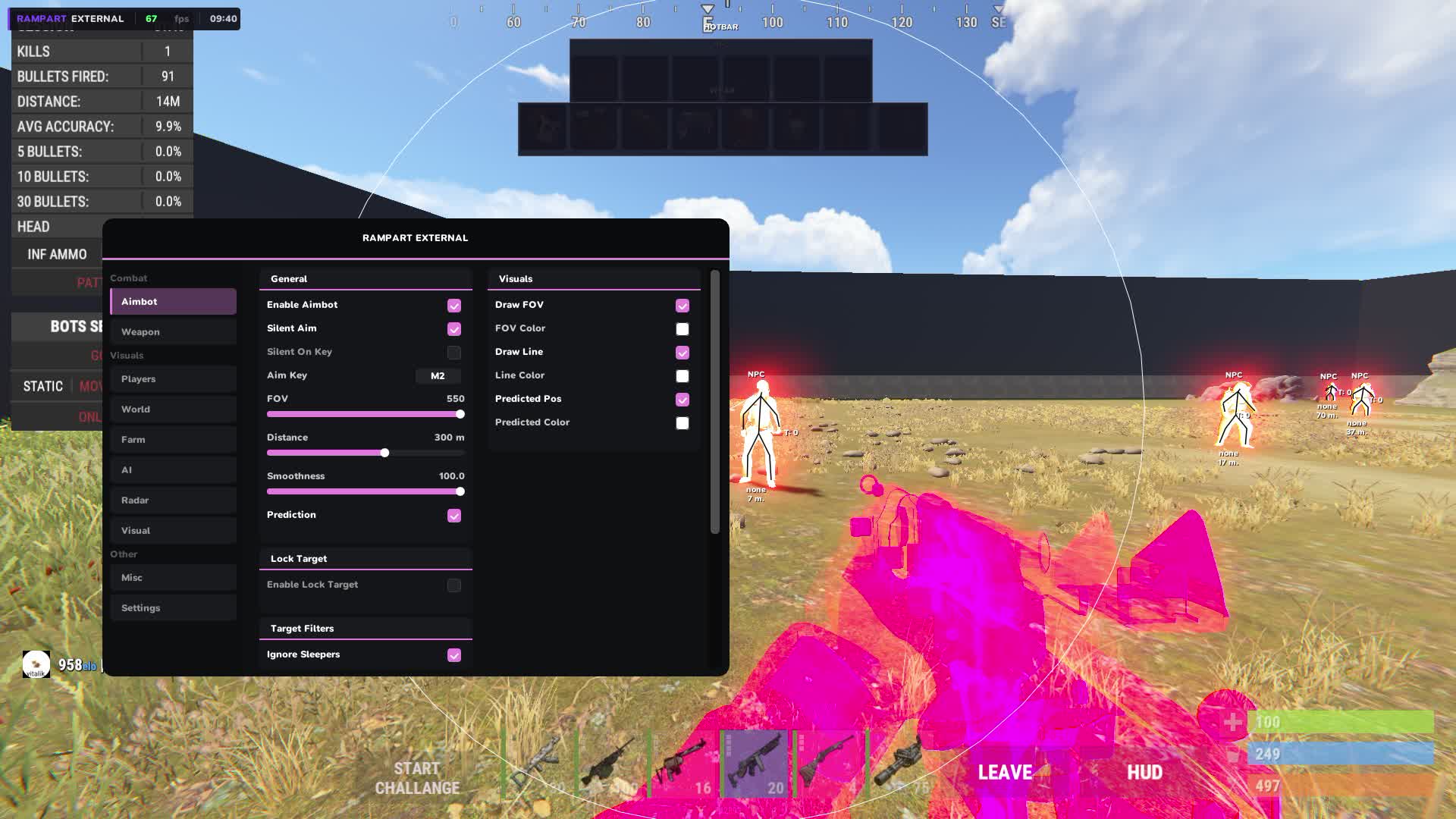
- Automatic aim onto the enemy. Tunes to any style, from soft aim assist to hard lock on the target.
- Silent Aim
- Bullets land on target even when your aim is not pointed at them. Visually it looks like normal shooting, you cannot tell from the outside.
- Silent On Key Toggle
- Silent Aim turns on and off with a key. Handy when you need to switch between modes quickly in a fight.
- Prediction
- The Aimbot accounts for the target's movement and aims where the enemy will be, not where they are now. Matters at range and when the target is running.
- Prediction On/Off Toggle
- Position prediction toggles on a separate key. At close range it sometimes gets in the way, at long range it is irreplaceable.
- Lock Target
- Hold the key and the Aimbot keeps one specific target until you let go. It will not switch to other players by accident in a group fight.
- Custom Aim Key Bind
- The aimbot activation key is set manually for any layout.
- Adjustable FOV
- The radius of the target capture zone is adjustable. A narrow FOV takes only those directly in your crosshair, a wide one reacts to everyone in view.
- Adjustable Smoothness
- Aim smoothness from sharp to soft. Too sharp looks unnatural in recordings, smooth reads cleaner visually.
- Adjustable Max Distance
- Maximum trigger distance for the aimbot. Cut reactions to far players and work only in the real combat zone.
- Hitbox: Head / Chest / Pelvis / Legs
- Pick the bone to aim at. Head for max damage, chest is steadier at range, legs slow the target without killing right away.
- Filters: Ignore Sleepers / NPC / Teammates
- Filters keep sleepers, bots and teammates out of the capture zone. The Aimbot will not lock onto your own people or react to inactive targets.
Aim Visuals
- FOV Circle
- A circle on screen shows the current aimbot capture zone. You can see how big the active zone is without opening the settings.
- Aiming Line
- A line from your crosshair to the target the Aimbot is holding. A visual cue that the lock is active and on whom exactly.
- Predicted Position Marker
- A marker shows where the Aimbot predicts the hit, accounting for the target's movement. Handy for checking accuracy at range.
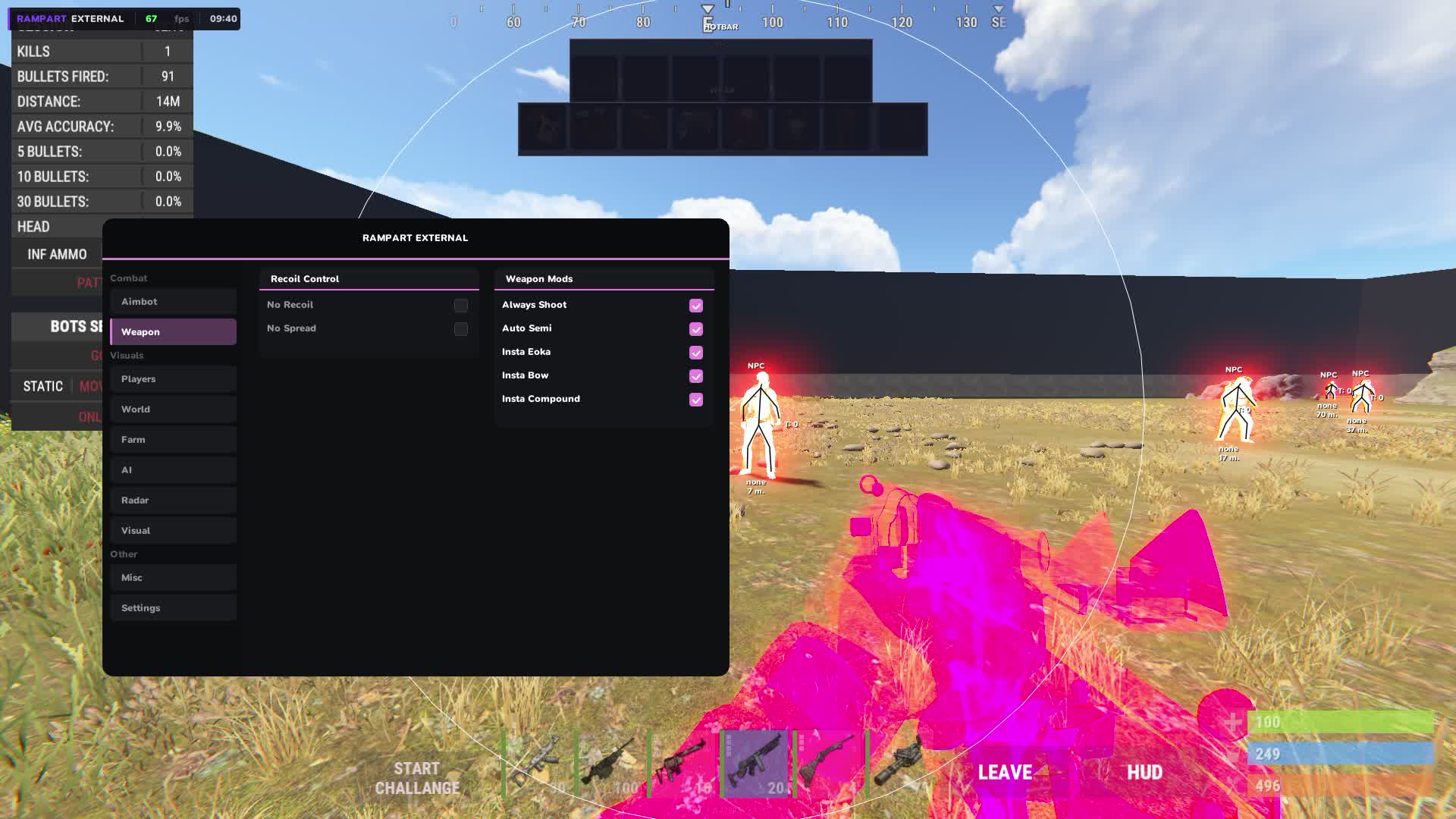
Weapons
- No Recoil
- Removes recoil in software, so every bullet lands exactly on the aim point with no manual pattern compensation.
- No Spread
- Removes bullet spread. A shotgun and other weapons with spread hit dead on aim at any range.
- Always Shoot
- The weapon fires even in situations where the game blocks the shot, through obstacles or during animations.
- Auto Semi
- Semi-automatic weapons fire at maximum speed automatically. Bolt and other single-shot guns run at the limit of their fire rate.
- Instant Bow
- The bow draws and fires instantly with no draw animation delay.
- Instant Compound Bow
- The compound bow fires without waiting for a full draw. Fire rate jumps sharply.
- Instant Eoka
- The Eoka Pistol fires on the first flint with no random misfires. One of the most frustrating close-range weapons becomes reliable.
Player ESP
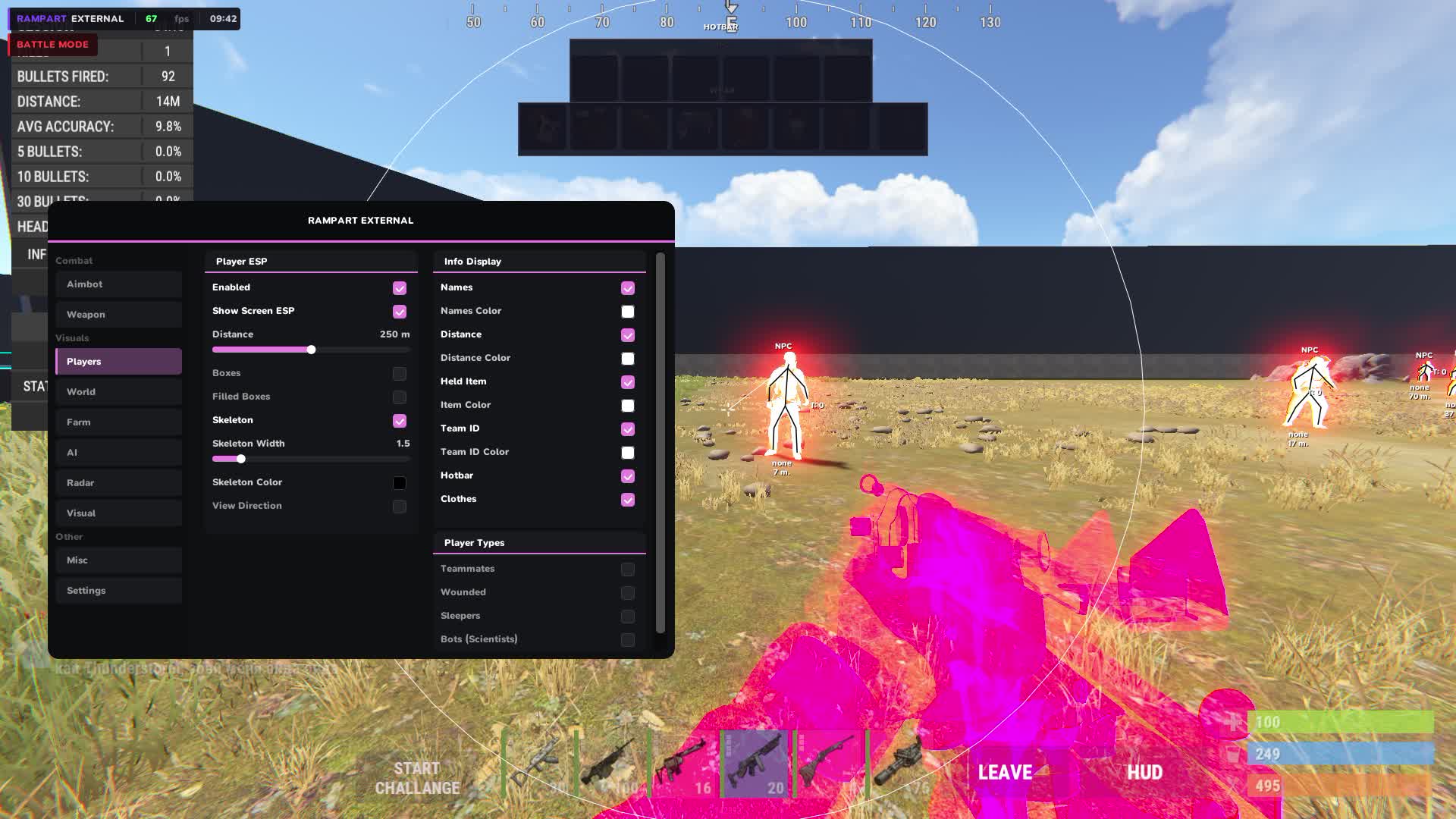
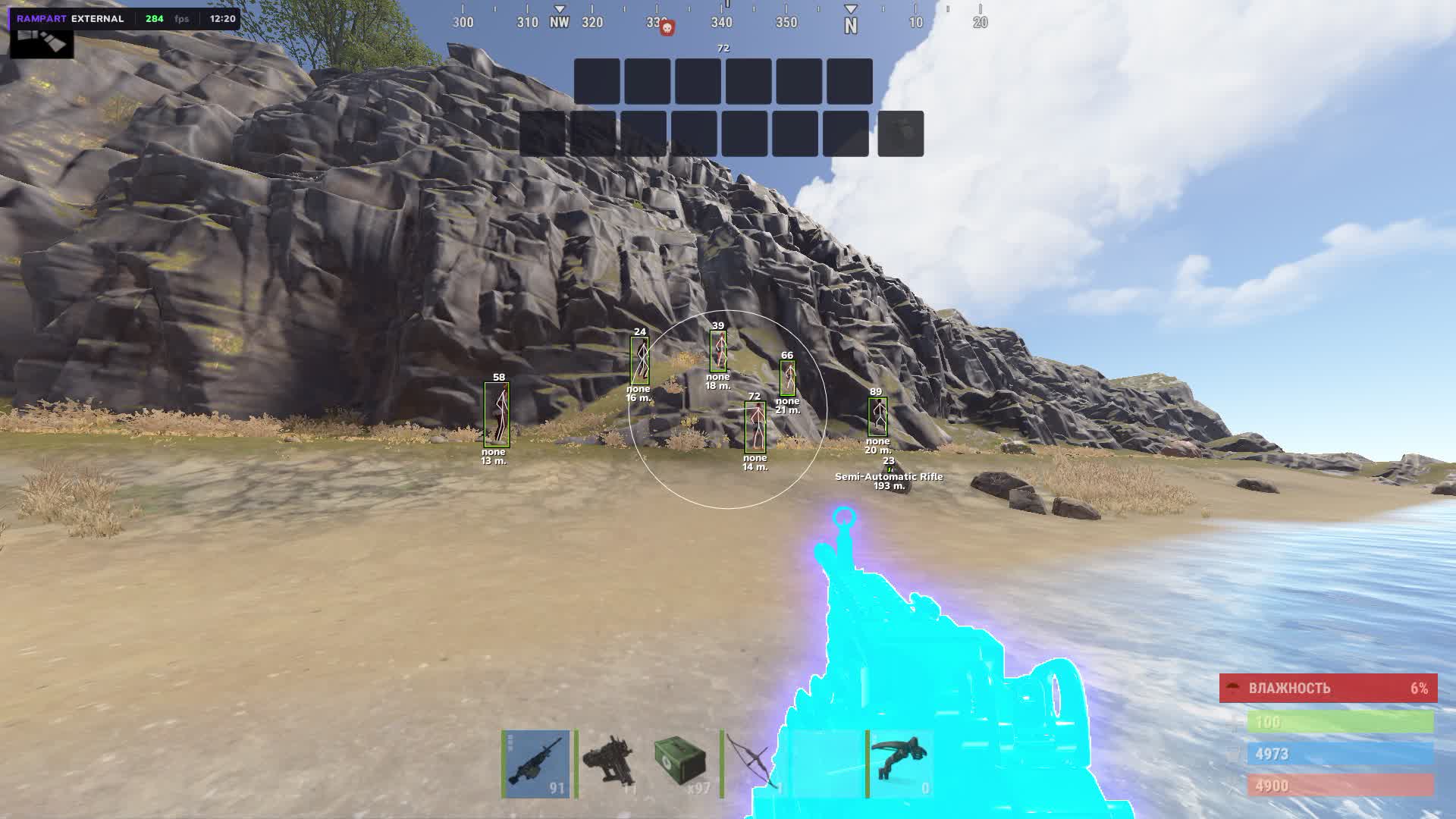
- Boxes: 2D / 3D / Corner
- Three box types around players: flat 2D, volumetric 3D, or corner markers. Pick whatever reads easiest in a given situation.
- Skeleton
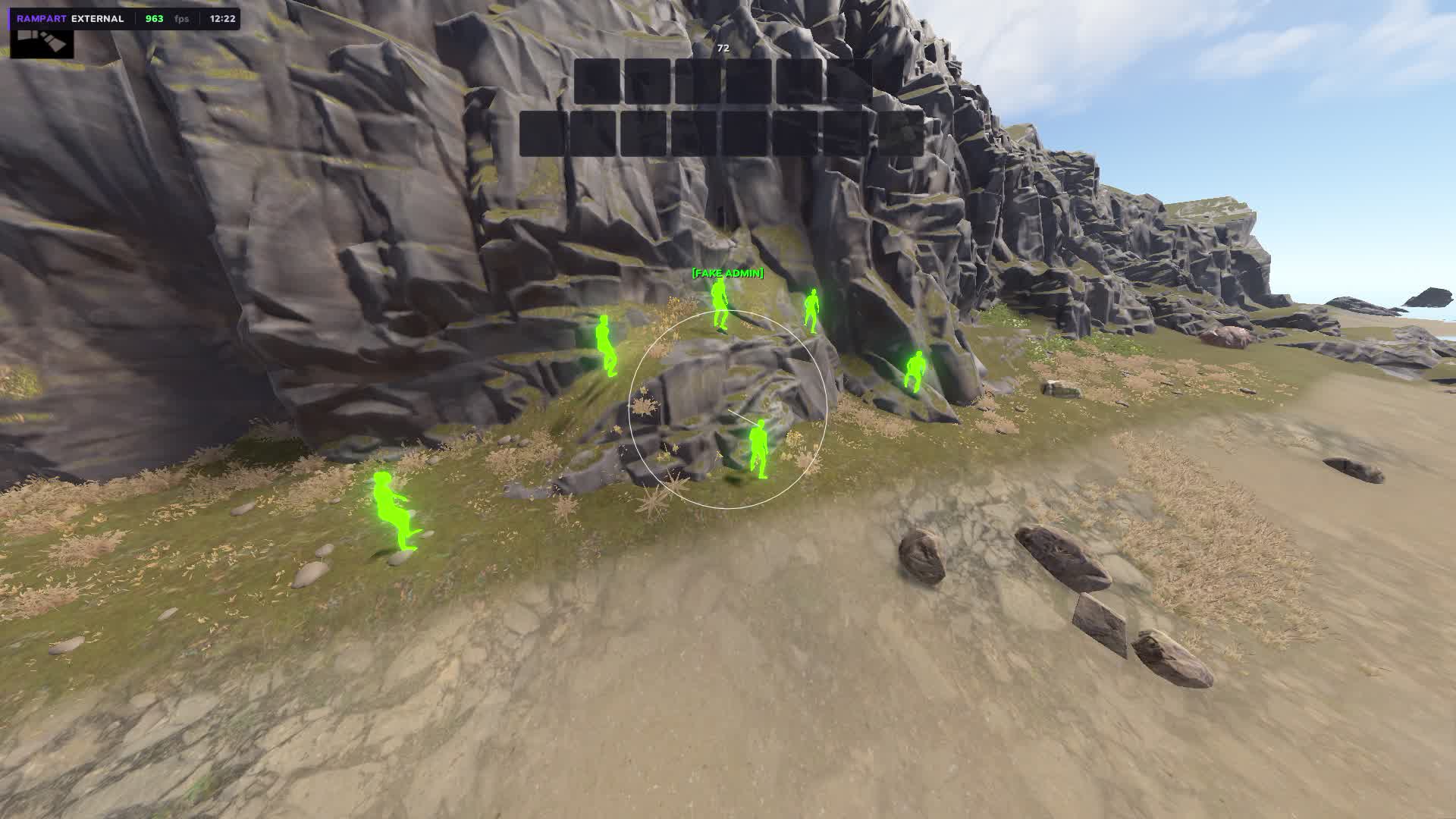
- A model skeleton over the textures shows the enemy's exact pose: standing, crouched, or aiming from around a corner.
- View Direction Line
- A line in the direction the player is looking. You see where the enemy is facing and flank them while they are busy with another angle.
- Name
- The player's nick above the marker. In team play it instantly separates friend from foe.
- Distance
- The distance to each player next to the ESP marker.
- Held Item
- The item in the enemy's hands right in the ESP. You see the AK, bolt or medical gear before the player even peeks out of cover.
- Team ID
- A team identifier above the player. You instantly see how many people are in the enemy group and how they are positioned relative to each other.
- Belt Items
- Items on the enemy's hotbar are visible in the ESP. You know right away what they will pull out in the next second of the fight.
- Clothing Items
- The enemy's armor and clothing show in the ESP. You judge how protected they are before making contact.
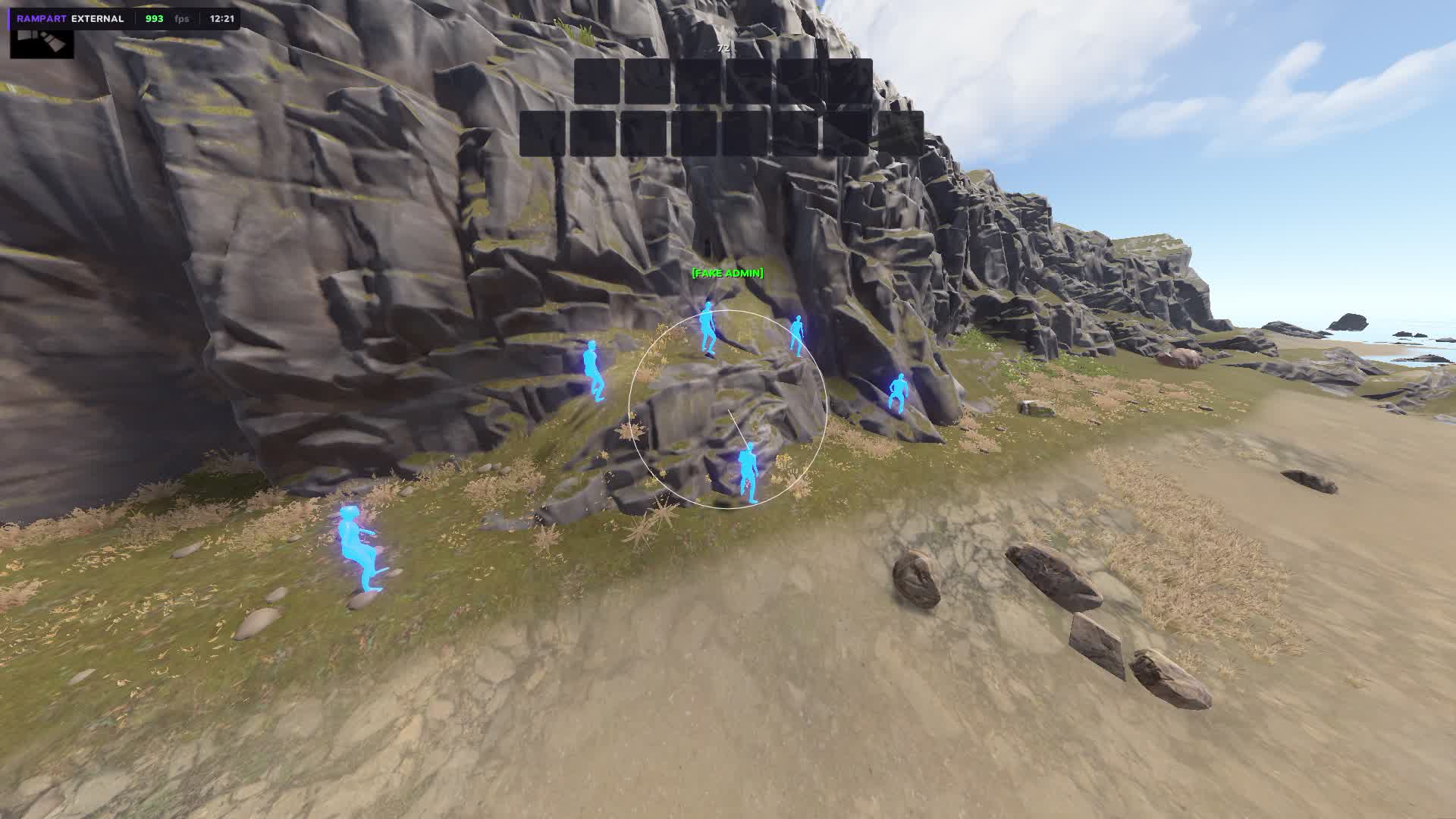
- Chams
- Fills player models through walls in a chosen color with no ESP boxes. An alternative to boxes for those who prefer a cleaner picture.
- Separate Colors: Teammates / Wounded / Sleepers / Bots
- Teammates, wounded, sleepers and bots show in different colors. You read the situation instantly without analyzing each marker separately.
- Separate Bot Distance
- Draw distance for bots is set separately from players. You cut bots out of far markers and keep only live enemies.
Radar
- Minimap: Circle / Square
- A minimap in your chosen shape, circle or square. It shows your surroundings in real time right on screen.
- Adjustable Size / Scale / Position
- Radar size, scale and position are set manually. Put it in any corner of the screen with precise offset.
- Background Color
- The minimap background color for any preference and lighting conditions on your monitor.
- Player Dots
- Player dots on the radar, color and size set separately.
- View Zone Cone
- A view cone on the radar shows where you are looking at the moment. Helps you orient toward threats.
- Grid Lines
- A grid on the radar, line thickness, transparency and color are adjustable.
- Tick Marks
- Distance marks along the edge of the radar, with adjustable thickness, transparency and color.
- Show: Teammates / NPCs / Distance / Names
- Turn on only the layers you need on the radar: teammates, bots, distance and names as separate toggles.
- Show: World Items / Farm / AI on Radar
- World items, farm resources and AI show right on the minimap. You see where the loot is and where the bots are without switching ESP modes.
World ESP
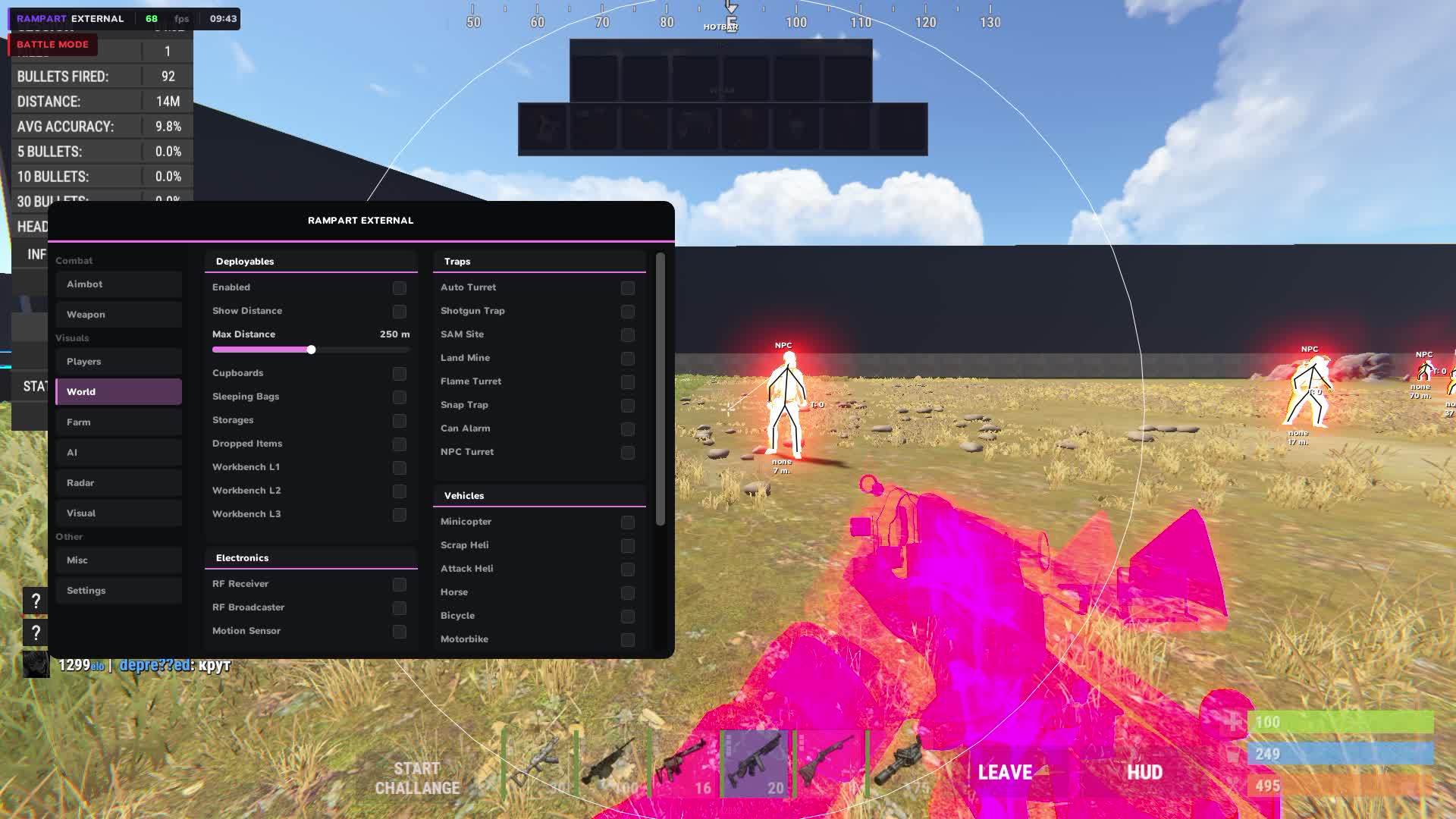
- Tool Cupboard + Upkeep Display
- Tool cupboards are visible through walls with upkeep shown. You go into a raid and know right away how many resources the base owner has left.
- Sleeping Bags
- Enemy sleeping bags are visible on the map. You understand how many respawn points the group you are raiding has.
- Workbench Tier 1 / 2 / 3
- Workbenches of all tiers show in the ESP. You judge the base's tech level before going in.
- Dropped Items
- Dropped items with category filters: weapons, tools, food, resources, ammo, clothing, components. You see only what you need.
- Corpses
- Corpses with loot show with a separate marker. You find the body before other players on the server.
- Backpacks
- Backpacks on the map show separately. They often hold valuable loot left after a fight.
- Storage Boxes
- Storage boxes are visible through walls. You judge how stocked a base is before the raid.
- RF Receiver / Broadcaster
- A base's RF gear is visible in the ESP. You know whether the enemy has automated defense systems on frequencies.
- Motion Sensor
- Motion sensors are visible before you trip them. You enter the base without raising the alarm.
- Raid ESP + Timer
- Active raids are visible on the map with a wall destruction timer. You know where a fight is happening and how much time is left, so you can hit them weakened.
- Individual Distance per Category
- Draw distance is set separately for each World ESP category.
Trap ESP
- Auto Turret
- Auto turrets are visible through walls with status and health shown. You enter a base knowing where every tower stands.
- Shotgun Trap
- Shotgun traps are visible before you walk into their trigger zone.
- SAM Site
- SAM Sites are visible on the map ahead of time, useful when flying in on a helicopter or planning a route across open ground.
- Landmine
- Mines are visible on the ground. You cross someone's territory without watching your feet.
- Flame Turret
- Flame turrets show in the ESP with their activity status.
- Snap Trap / Bear Trap
- Bear traps are visible on the ground. Especially useful on a night raid when you can barely see them visually.
- Can Alarm
- Can alarms are visible ahead of time, so you do not make noise entering a base.
- NPC Turret
- NPC turrets at monuments and in dungeons are visible with distance and status.
- Trap Status / Health Display
- The status and health of each trap show next to its marker. You know whether a trap is active and how much damage it has already taken.
- Individual Distance per Trap Type
- Draw distance is set separately for each trap type.
Vehicle ESP
- Minicopter / Scrap Heli / Attack Heli
- All helicopters on the map are visible with distance. You find the mini before other players or get out of the attack heli's path early.
- Bicycle / Motorbike / Snowmobile
- Ground transport on the map is visible with separate markers.
- Modular Car / Horse
- Modular cars and horses show in the ESP with distance.
- Rowboat / RHIB / Tugboat
- Water transport is visible on the map. Useful on servers with a large water zone.
- Submarine / Diver Propulsion
- Underwater transport shows separately. You find a sub or DPV before the enemy swims to shore.
- Drone
- Drones are visible in the ESP. You know when someone is watching you from the air.
- Individual Distance + Color per Vehicle
- Each transport type gets its own draw distance and marker color.
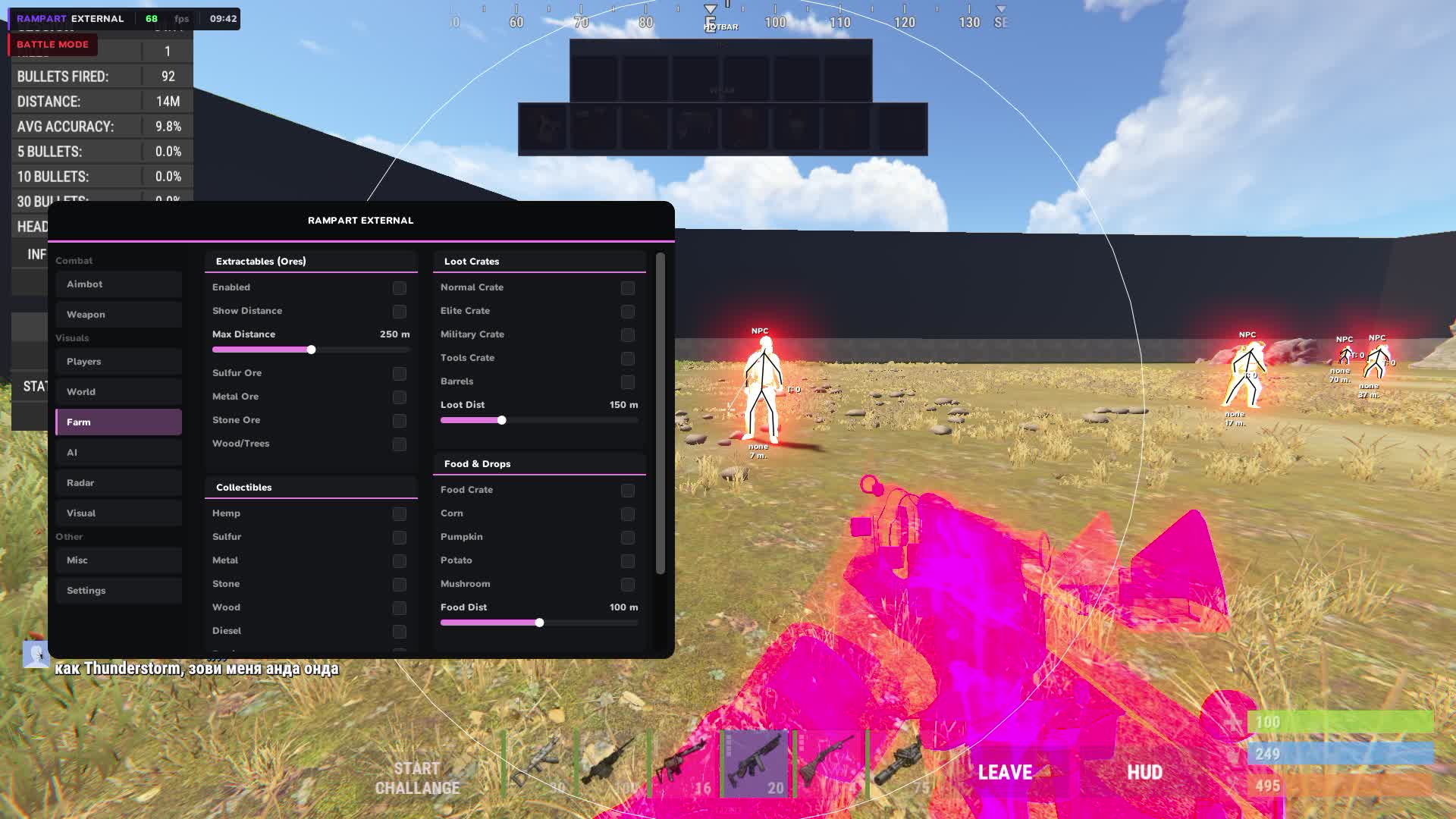
Farm ESP
- Ores: Sulfur / Metal / Stone
- Sulfur, metal and stone ores are visible on the map with distance. You build a farm route ahead of time instead of running around the map looking for a node.
- Trees / Wood
- Trees show in the ESP, useful when mass farming wood for building.
- Collectibles: Hemp / Metal / Stone / Wood / Sulfur
- Collectible resources on the ground show with separate markers. You do not miss the sulfur and metal at your feet.
- Diesel Barrels / Berries / Roses
- Diesel barrels, berries and roses are visible in the ESP with distance.
- Crates: Elite / Military / Tools / Normal / Barrels
- All crate types are visible on the map, from elite to ordinary barrels. You build a route to the best loot on the server.
- Food: Corn / Mushroom / Pumpkin / Potato / Food Crate
- Food and food crates are visible on the map. Useful at wipe start when every resource counts.
- Airdrop
- Airdrops are visible in the ESP from the moment they appear. You fly to the drop point already knowing where to go.
- Chinook Crate + Locked Timer
- The Chinook crate is visible with a lock timer. You know exactly when it opens and arrive first.
- Individual Distance + Color per Item
- Distance and marker color are set separately for each resource and crate type.
Animal ESP
- Horse / Bear / Polar Bear / Boar / Stag / Wolf / Shark / Chicken
- All animals on the map are visible with distance. You find a horse for transport or go around a bear and a wolf while farming.
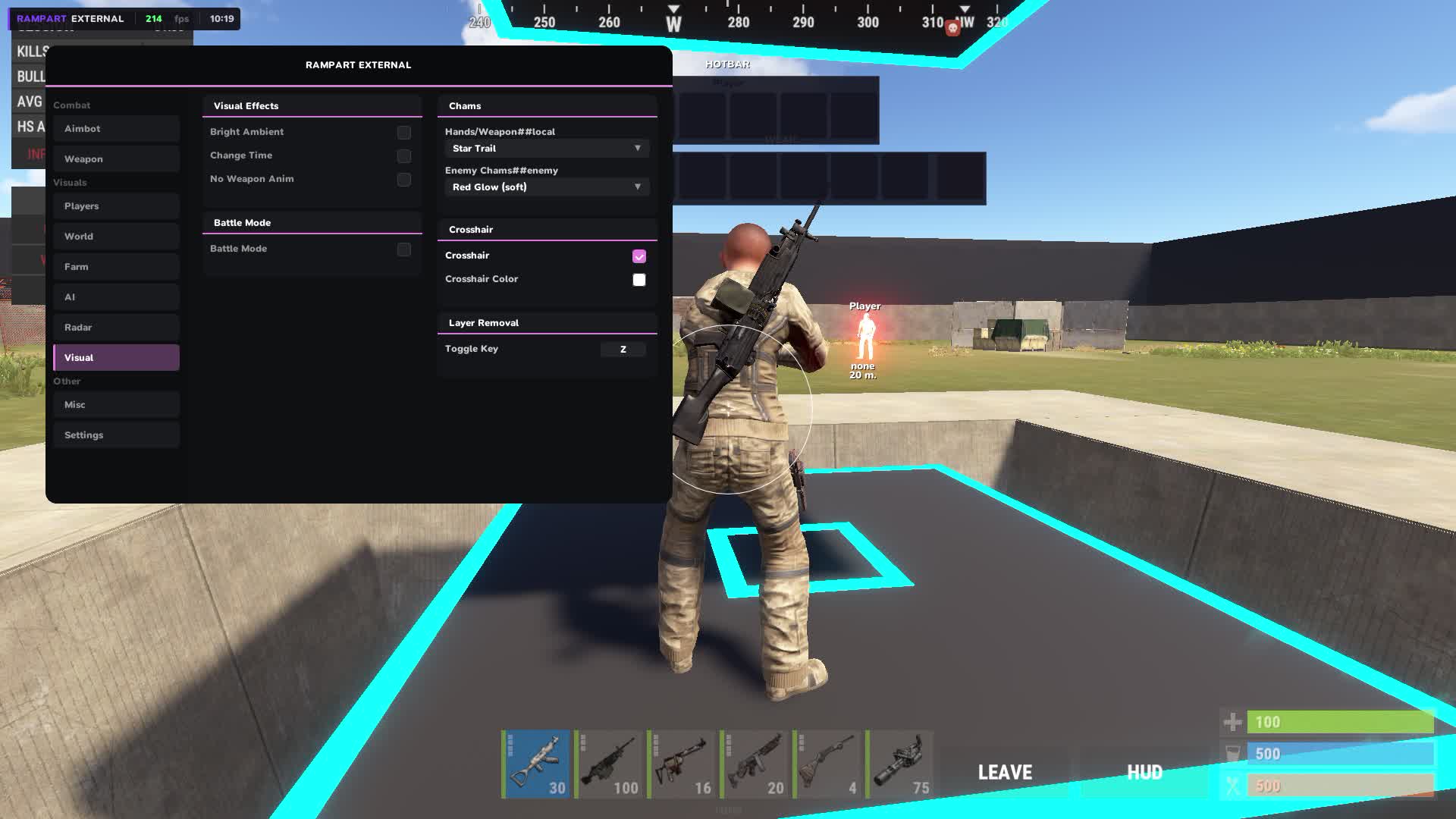
Visuals
- Custom Crosshair
- Your own crosshair instead of the default, with several types and color choice.
- Hotbar Widget
- A hotbar widget on screen shows your hotbar items without looking down.
- Armor Widget
- Your armor state shows right on screen in real time.
- No Weapon Animation
- Removes the weapon animation. A cleaner screen, steadier aim while moving.
- Bright Night / Ambient
- Night on the client becomes bright. You play with normal visibility while the server runs its own time of day.
- Local Player Chams
- Chams on your own character. Used to control your position and how readable your hands are while aiming.
- Remove Layers
- Removes visual layers of the game on a bind. Helps when scanning territory in tough lighting conditions.
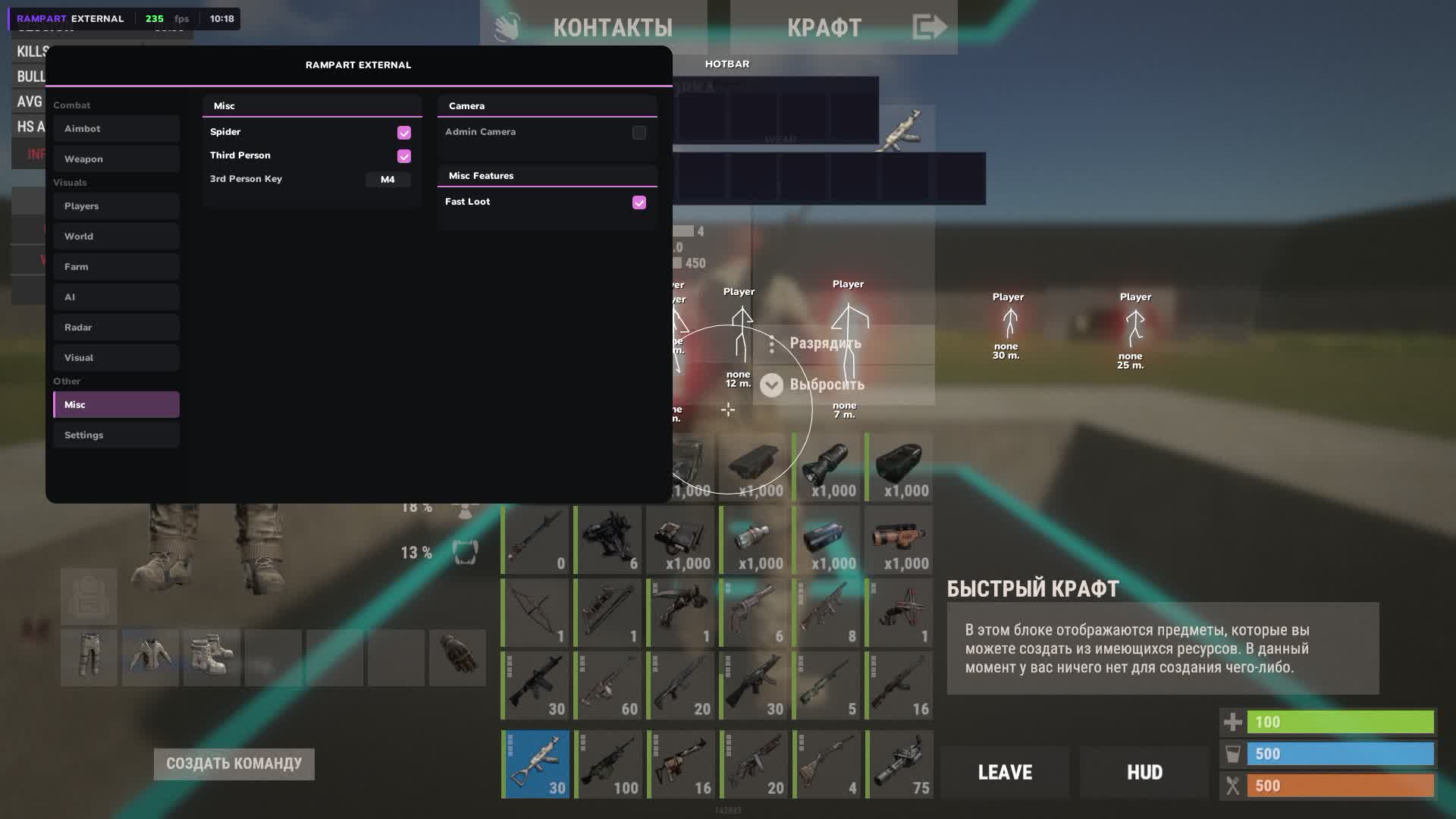
Misc
- Fast Loot
- Faster looting from corpses and crates. In an active raid every second on the spot is a risk.
- Spider
- Lets you climb vertical surfaces and removes fall damage. You enter bases through the roof without a parachute or stairs.
- Third Person
- Third-person view on a bind. You look around a corner without exposing your character, the classic peek corner.
- Admin Camera
- A free camera for scouting territory and structures before a raid. You look inside a base, judge the layout and where the traps are placed.
Settings
- Config Save / Load
- Save and load configs for different play styles. One set for raiding, another for farming, switch in a second.
- Menu Toggle Bind
- The key to show and hide the menu is set manually.
- Watermark: FPS / Time
- An on-screen watermark shows your current FPS and the time right in the game.
- Custom ESP Font
- The font of all ESP labels changes to your personal preference.
Product Description
Rampart External
Rampart External ships as private ESP on RUST. Player ESP with range, colours and party or guild hide; Aimbot with FOV, smoothing and target filters in the menu; Prediction On/Off Toggle. Menu: English. No HWID spoof in the box.
Rampart External — RUST
Rampart External ships as private ESP on RUST. Player ESP with range, colours and party or guild hide; Aimbot with FOV, smoothing and target filters in the menu; Prediction On/Off Toggle. Menu: English. No HWID spoof in the box.
What you actually get
- Player ESP with range, colours and party or guild hide
- Aimbot with FOV, smoothing and target filters in the menu
- Prediction On/Off Toggle
Risk, plainly
Private software still carries a ban risk. Read the live status on the listing. Keep farm accounts off the main if the build automates movement.